The Internet is the first place most researchers turn to because of its sheer size and content; ironically, the size of the Internet is also the reason many researchers are slowly losing their minds.

Searching for information on the Web is a time sucker; you begin your search, look up at the clock and realize three hours have passed since you first hit the enter key. This is partly due to writers being a curious lot and going off on tangents; it is also due to reliable, useful, and relevant information being difficult to find. You don’t want to stop being curious, but you do want to start finding accurate information. To work out where to start your search, you need to know the difference between the Visible Web and the Invisible, or Deep Web.

The difference between the Visible Web and the Invisible Web

The Visible Web is made up of pages that search engine spiders can crawl and index. The Invisible Web is made up of pages that spiders cannot get into for various reasons; however, it is two to three times the size of the Visible Web. So if you think Google has a lot of information, just wait until you see this.

Where to begin the search

Before you start your search you need to decide where to search. You basically have three options; search engines, subject directories and the Invisible Web. Here is a brief description of each; you can find links to subject directories and Invisible Websites in the blogwell toolbox.

Search engines

Search engines like Google, Yahoo!, and Live have minimal human supervision; data is compiled by robots (a.k.a spiders and crawlers) that crawl the Web for information.

These are best if your topic is narrow; the more specific your search request, the more relevant the results.

Subject directories

Subject directories are organized into categories by people, not robots, so the quantity of information is not as great as that of search engines. However, depending on the directory, the information is generally of a higher quality than search engine results. *

Use subject directories if your topic is broad and you have the time to browse.

The Invisible Web

The Invisible Web is home to thousands of searchable databases that search engines cannot access. This is because these sites need some type of human interaction; you need to do something on the home page, that search engine spiders are incapable of doing.

For instance, to access the Lexis Nexis database, you need to type in a password, or to access the Librarians Internet Index you need to type in a search query (LII is both visible and invisible). Sadly, spiders are not quite bright enough to do this…yet.

You can find a list of my favorite subject directories and Invisible Web databases in the blogwell toolbox.

If you are interested in reading more about the Invisible Web, take a look at:

Invisible or Deep Web: What it is, Why it exists, How to find it, and its inherent ambiguity
Those Dark Hiding Places: The Invisible Web Revealed

Deep Web at Wikipedia

Commenting on a blog is easy. If you comment well, you could attract a new reader to your blog; if you make a mess of it, you could be labeled spam.

So it’s no surprise new bloggers avoid commenting. They don’t want to get it wrong or feel they have nothing to add, and when they search the Web for information on commenting, they find little. Here are some basic comment rules; now, go forth and comment!

Read more »

Google is holding its first developer day on May 31, 2007, at ten Google sites worldwide; featuring workshops, keynotes, and breakout discussions on Google’s APIs and developer tools.

Based on the theme: “Building Blocks for Better Web Applications” the idea is to get programmers of the world talking to Google’s programmers; inspiring ideas and creating opportunities for both.

It all begins in Sydney, Australia on May 31, 9 a.m. AEST and ends 27 hours later in Mountain View, USA on May 31, 7 p.m. PDT.  Other countries include Brazil, UK, France, Spain, Germany, Russia, Japan, and China.

There will also be live streaming webcasts from the main campus in Mountain View as well as a YouTube channel with videos of the day, including sessions, from around the world.

To register, visit the Google Developer Day site. Do it quick, or you may miss out!

If you want a successful blog, you need traffic. If you want traffic you need to understand how search engines relate to you as well as your competitors.

Although many of these sites require that you have your own URL, e.g. blogwell.com instead of blogwell.wordpress.com, all of them offer lots of other useful information. Best of all – they are free.

Read more »

When you link to a specific blog post (permalink), the person you link to, links back to you….tracks back to your story or post.

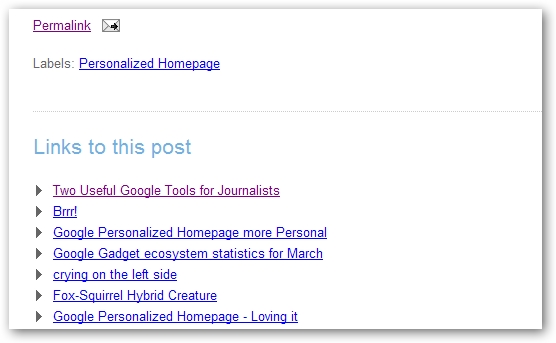
This is typically represented by a trackback list, found at the bottom of the post you linked to, with the most recent link to that post appearing at the top.

Pings are little messages, that you send to another blog, letting them know you have included a reference to one of their stories within your post.

For instance:

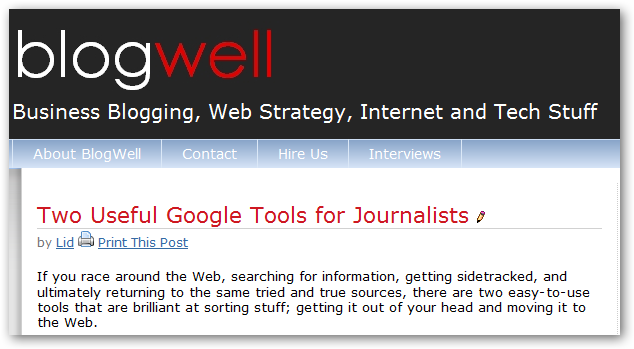
Recently I wrote about two cool tools Google offers that make my life easier:

Within my post, I mentioned a post Jessica Ewing had put on the Google blog, that explained the process in more detail;

and linked to her post using the words “adding personality to your Google homepage” within my post:

Because I use WordPress, I don’t need to ping the other blog; WordPress does it for me as soon as I link to the post.

So, the next day, I check Jessica’s post on the Google blog and voila…there is the link back to me; the track back to my post titled “Two useful Google tools for Journalists”

trackback.jpg

The only blogging platform that I have come across that does not support trackback is Blogger (weird, given they allow for trackbacks on their blogs), although it provides an option called backlinks.

Don’t get too excited thinking that trackbacks are seen by the search engines as links into your site; they are not, what trackbacks can do is encourage new readers to visit your blog.

For instance, if someone writes a story that is related to your post, it makes sense to link to them, as this gives your readers additional information. It follows then, that people who read the other blog may be interested in reading what you have to say as well; trackbacks are brilliant for this!

If this was useful, please let me know. :)

Brilliant!

Just discovered Andy Beard has an easy to follow “How To” for Blogger users – take a look at Haloscan – How To Send a Trackback with Blogger

« Previous PageNext Page »